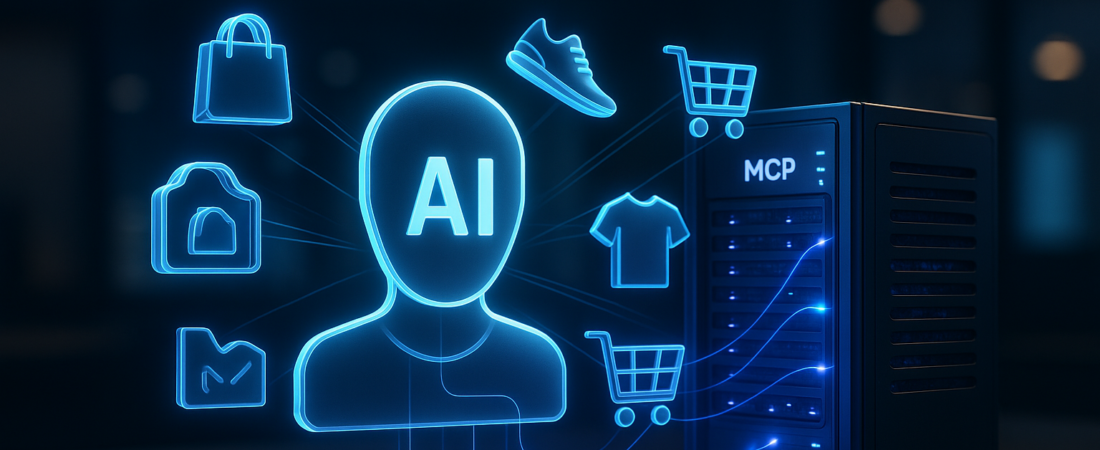
The era of “Googling it” is dying, and Adobe is placing a massive bet on what comes next: a world where AI agents don’t just find products, but buy them for you. At the latest Adobe Summit, the company unveiled a roadmap that moves beyond simple search bars and toward “Agentic Commerce”—a future where your storefront needs to be as readable to a bot as it is to a human.
If you are still optimizing solely for keywords, you’re already behind. The new goal is to make your product data “agent-ready.” AI Visibility is the new SEO, and brands must now influence how they appear in the “answer engine” economy.
| Attribute | Details |
| :— | :— |
| Difficulty | Intermediate (Requires familiarity with API/Feed Management) |
| Time Required | 30–60 Minutes to audit current data readiness |
| Tools Needed | Adobe Commerce, MCP Server, PayPal Store Sync, LLM Assistants |
The Why: Your Website Is No Longer the Front Door
For decades, the “front door” of e-commerce was a search engine or a homepage. Today, that door is moving to ChatGPT, Gemini, and Perplexity. When a user asks an LLM, “Find me a waterproof hiking boot under $150 that fits wide feet,” the AI isn’t clicking on blue links; it’s parsing structured data.
If your data is messy, your products are invisible. Adobe’s new native capabilities aren’t just “features”—they are a survival kit for the shift from human-driven discovery to agent-driven execution. This shift is part of a broader trend where Google Personal Intelligence and other platforms are transforming browsers into active agents that handle chores and bookings for users. You should care because this isn’t just about being “found”; it’s about being “purchasable” inside a chat interface without the customer ever visiting your URL.
Step-by-Step: Moving to Agentic Readiness
Implementing these upgrades requires a shift from “content for humans” to “context for machines.” Here is how to leverage the new Adobe Commerce toolkit:
- Enrich your Product Feed for LLMs. Use Adobe’s new native tools to automatically structure your data. Instead of flat descriptions, ensure you have rich attribute tags (materials, compatibility, specific use cases) that an LLM can parse.
- Deploy the Model Context Protocol (MCP). Adobe’s new Commerce MCP server is the bridge. Set this up to give AI agents secure, real-time access to your inventory, pricing, and cart logic. Leading sales platforms are already using the Model Context Protocol to eliminate data blindness and connect agents to unstructured data.
- Activate “Agent-to-Agent” Transacting. Through the partnership with PayPal, Stripe, and Adyen, enable the Agentic Commerce Protocol (ACP). This allows the AI to not just recommend the boot but actually process the payment via a frictionless checkout like PayPal Store Sync.
- Launch Your “Brand Concierge.” Don’t let the agents have all the fun. Integrate the Brand Concierge on your own storefront to turn your internal site search into a conversational experience. New tools like EZY.ai are already proving how eliminating intent friction can revolutionize product discovery.
- Audit via the Developer Agent. Use the upcoming AI-powered Developer Agent to scan your legacy code. It will identify which parts of your storefront are “bottlenecks” prevent you from moving to a high-performance, cloud-native architecture.
💡 Pro-Tip: Don’t just feed the LLM your marketing copy. Feed it your User Manuals and FAQs via the MCP. Agents prioritize technical specs and compatibility data over flowery adjectives when making a recommendation.
The Buyer’s Perspective: Adobe vs. The Field
Adobe is making a move that its primary competitor, Shopify, has approached differently. While Shopify focuses heavily on the “Shop” app ecosystem, Adobe is playing the “Open Standards” game. By supporting the Universal Commerce Protocol (UCP), Adobe is betting that commerce will happen everywhere—not just within one company’s ecosystem.
The value proposition here is Control. In the traditional “Headless” vs. “Monolith” debate, Adobe is carving out a third path: “Agentic.” It offers the scale of an enterprise platform with the flexibility to let a bot on Perplexity handle the checkout. This mirrors how OpenAI Frontier is positioning itself as an operating system for autonomous agents in the enterprise. The downside? It’s a sophisticated transition. Smaller merchants might find the MCP setup and the shift to “Adobe Commerce as a Cloud Service” daunting compared to “plug-and-play” alternatives. However, for mid-to-large enterprises, the ability to maintain pricing logic across a dozen different AI platforms is a massive competitive advantage.
FAQ: What You Need to Know
Does this mean I don’t need SEO anymore?
Not exactly. Traditional SEO still drives human traffic. However, you now need Answer Engine Optimization (AEO). Content must be structured (Schema.org, JSON-LD) so AI agents can ingest it without “hallucinating” your prices or features.
What is an MCP server, and why do I need it?
Think of the Model Context Protocol (MCP) as a standardized “translator” for AI. It allows you to expose your product catalog and checkout logic to an AI tool (like an Anthropic Claude agent) in a way the AI can actually use to take action.
Will this replace my B2B sales team?
No, but it simplifies the “grunt work.” With new B2B drop-in capabilities for requisition lists and purchase orders, the AI handles the repetitive procurement workflows, letting your sales team focus on relationship management and complex negotiations.
Ethical Note / Reality Check
While AI agents can find and recommend products, they are currently prone to “hallucinating” inventory levels or discount codes if your data feeds aren’t synced in absolute real-time. To maintain trust, businesses must focus on grounding their AI agents in a single source of truth.