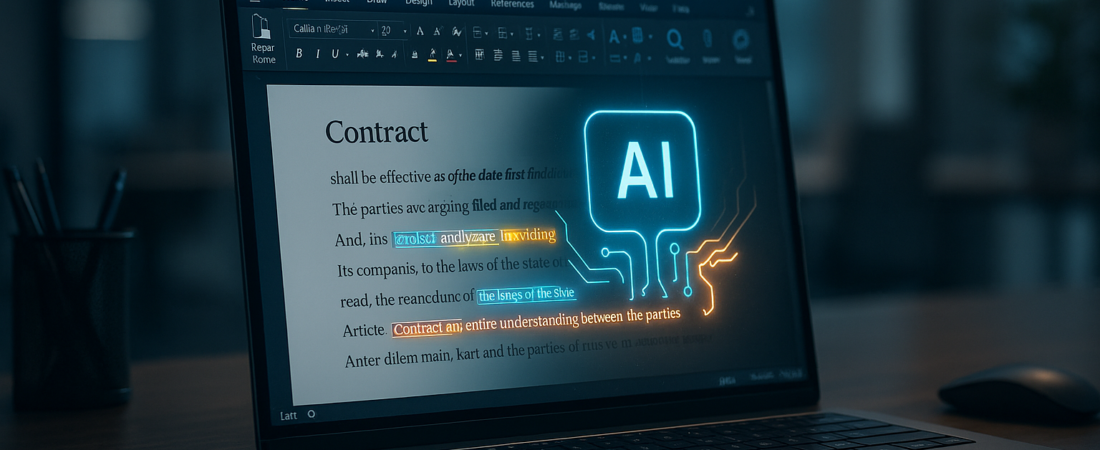
Microsoft is finally turning Word from a blank canvas into a legal associate that never sleeps. The announcement of a native AI Legal Agent built directly into the Word interface marks a shift from general “writing assistance” to high-stakes, specialized automation. This isn’t just another Copilot feature for summarizing meetings; it is a tool designed to navigate the dense, high-consequence world of contract redlines and complex legal agreements.
| Attribute | Details |
| :— | :— |
| Difficulty | Intermediate (Requires legal context) |
| Time Saved | 4–6 hours per complex contract |
| Tools Needed | Microsoft 365, Word “Legal Agent” Add-on |
| Best For | In-house counsel, boutique law firms, procurement |
The Why: Why Legal Teams Should Care Right Now
Lawyers have historically treated AI with earned skepticism. Hallucinations in a legal brief aren’t just embarrassing; they are grounds for sanctions. However, Microsoft’s new agent focuses on the most tedious part of the job: the “redline marathon.”
The problem today isn’t just writing a contract; it’s the 15 rounds of revisions that follow. Usually, a human must cross-reference a 50-page document against the firm’s standard “playbook” to ensure no liability snuck in during the last edit. This agentic AI automates that comparison, catching aggressive indemnity clauses or missing jurisdiction updates that a tired associate might miss at 2 AM.
Step-by-Step: How to Deploy the AI Legal Agent
To move beyond basic spellcheck and start using the agent for heavy lifting, follow these steps:
- Initialize the Playbook: Open the Legal Agent sidebar and upload your organization’s standard “Point of View” or “Legal Playbook.” This tells the AI what language you find acceptable and what is a “hard no.”
- Run the Initial Scan: Use the Analyze command on a received draft. The agent will highlight deviations from your standard clauses.
- Generate Redlines: Select Propose Revisions. Instead of just saying “this is wrong,” the agent will rewrite the clause to align with your pre-set standards while maintaining the document’s existing tone.
- Audit the “Why”: Click on any AI-generated change to see the Basis of Revision. The tool provides a brief explanation of why the change was made, citing your uploaded playbook. Using an AI Knowledge Hub to ground these revisions in a single source of truth is critical to eliminating hallucinations.
- Final Quality Control: Review the “Conflict Summary” to ensure the AI hasn’t introduced contradictory terms in different sections of the document.
💡 Pro-Tip: Use the “Silent Partner” mode. Instead of letting the AI suggest text, set it to “Flag Only.” This forces the AI to highlight risky language without rewriting it, keeping the drafting process entirely in your voice while providing a safety net for oversight.
The Buyer’s Perspective: Microsoft vs. The Field
The legal tech market is crowded with names like Harvey, Spellbook, and Ironclad. So, does Microsoft’s entry kill the competition?
The Good: Friction is the enemy of adoption. Because this agent lives inside Word, there is no “exporting to another platform,” which is a massive win for data security and workflow. If you are already paying for Microsoft 365, the integration will likely be more cost-effective than a $10,000-a-seat specialized legal AI tool. This move aligns with the broader Microsoft Copilot enterprise updates aimed at making AI a seamless part of the professional stack.
The Bad: Specialized startups often have better “fine-tuned” models for specific jurisdictions (like Delaware Corporate Law or EU GDPR specifics). Microsoft’s tool is a generalist powerhouse, but it may require more hand-holding—and a more robust internal playbook—to reach the same level of nuance as a dedicated AI legal analysis platform.
FAQ
Does the AI Legal Agent replace a lawyer?
No. It replaces the first three hours of manual “spotting” and redlining. A qualified human must still sign off on the final version to ensure it meets specific client goals.
Is my data used to train Microsoft’s global models?
Microsoft claims that data processed through their enterprise “Legal Agent” is siloed. Your firm’s secret sauce—your playbook—stays within your tenant and isn’t leaked to the public LLM. To further protect sensitive information, many firms are implementing an AI firewall to prevent accidental data leaks to external models.
Can it handle handwritten notes or scanned PDFs?
If it’s pulled into Word via OCR (Optical Character Recognition), the agent can analyze it, though accuracy drops compared to “born-digital” documents.
Ethical Note/Limitation: This AI can still struggle with the “spirit” of an agreement; it may flag technically safe language as a risk if it doesn’t match your playbook’s word-for-word phrasing. For teams looking to scale this technology safely, understanding the In-House Legal AI landscape is essential for proper orchestration.