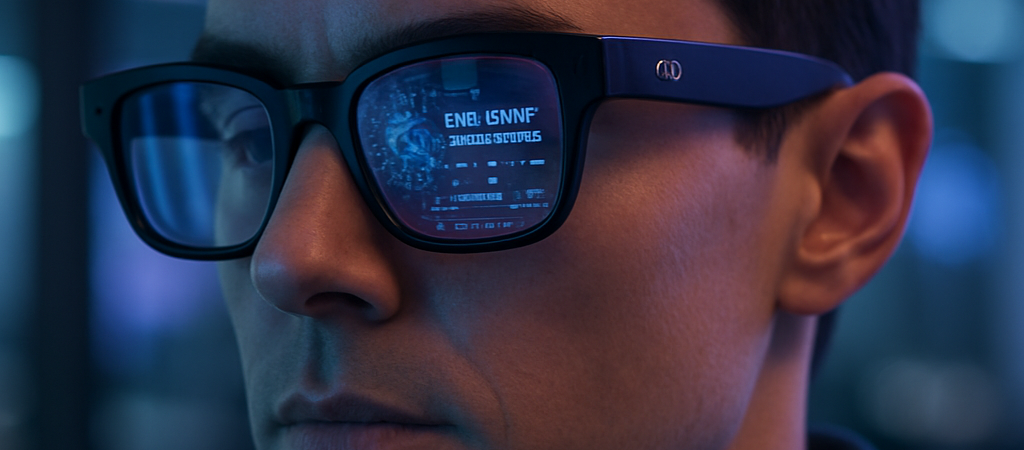
Meta just signaled that the “Metaverse” isn’t a digital world you enter; it’s a layer of intelligence draped over the one you already live in. By announcing a new, more affordable line of AI-powered smart glasses starting at $299, the social media giant has moved past the experimental phase and into a direct assault on the traditional eyewear market. This isn’t just another gadget—it’s the first time Meta has brought the entire design process in-house, cutting out the middleman to prove that wearable AI is ready for the mainstream.
| Attribute | Details |
| :— | :— | | Difficulty | Beginner (Plug-and-play hardware) |
| Time Required | 5-minute setup via Meta View app | | Tools Needed | Meta AI Glasses, Smartphone, Meta View App |
The Why: The End of the “Phone-in-Hand” Era
For years, smart glasses were a solution looking for a problem. They were too bulky, the battery life was abysmal, and they looked like something out of a low-budget sci-fi flick. Meta’s latest push solves the “uncanny valley” of wearables by focusing on two things: price and utility.
At $299, these glasses are priced similarly to a high-end pair of Ray-Bans, but they offer something a standard pair of lenses can’t: a multimodal AI assistant. The real “why” here is the shift in how we interact with generative AI. Instead of typing a prompt into a chatbot on your phone, you’re now asking your glasses to identify the landmark in front of you or translate a menu in real-time. Meta didn’t actually expect generative AI to be the killer app for these glasses so soon—but now that it is, they are pivoting hard to own the real estate on your face.
Step-by-Step Instructions: Getting Started with Meta AI
If you’re looking to integrate these into your daily workflow or lifestyle, here is how you hit the ground running.
- Pair with Meta View: Download the Meta View app on iOS or Android. This acts as the “brain” for your hardware, handling firmware updates and data syncing.
- Calibrate the Voice Command: Activate “Hey Meta” to ensure the dual-microphone array recognizes your specific vocal frequency, especially in crowded environments.
- Enable Multimodal Sight: Go into the settings and allow the AI to access the built-in camera. This allows the glasses to “see” what you see, which is required for identifying objects or reading text.
- Sync Your Services: Connect your Spotify, WhatsApp, or Messenger accounts. This allows you to send messages or control music entirely hands-free. Meta’s new AI tools are increasingly designed to make the social experience more interactive and hands-free.
- Test the Capture: Use the physical button on the frame to take a quick photo or video to understand the field of view. Remember: the LED indicator will light up to let others know you’re recording—don’t be that person who ignores privacy cues.
💡 Pro-Tip: Use the “Look and Tell” feature for productivity. If you’re looking at a complex spreadsheet or a physical document, you can ask Meta AI to “summarize what I’m looking at,” and it will dictate a bulleted breakdown into your ears, saving you from manual data entry.
The Buyer’s Perspective: More Than a Camera, Less Than a Vision Pro
Let’s be clear: these are not Augmented Reality (AR) glasses in the sense that they overlay digital holograms onto the world like the Apple Vision Pro. There are no screens in the lenses. Instead, Meta has focused on “Ambient AI.”
Compared to competitors like the Amazon Echo Frames or the Ray-Neo series, Meta has the advantage of a superior AI model (Llama 3). While Amazon’s frames are great for Alexa-based lists, Meta’s glasses can actually analyze visual data. The $299 entry point is a strategic undercut; it makes the device an “impulse buy” for tech enthusiasts compared to the $3,500 price tag of high-end spatial computing headsets. The downside? You are firmly locked into the Meta ecosystem. This hardware release is part of a larger social AI arms race where platforms are fighting to replace your traditional strategy and interaction teams. If you aren’t comfortable with Mark Zuckerberg having a camera-eye view of your life, no price point will be low enough.
FAQ
Q: Do these glasses have a display inside the lenses?
A: No. These are “Smart Glasses,” not “AR Glasses.” They use audio and cameras to interact with AI. Information is relayed via speakers near your ears or through the app on your phone.
Q: Can I put my own prescription lenses in them?
A: Yes. Meta designed these to be functional eyewear first. You can order them with prescription, transition, or polarized lenses directly or through authorized retailers.
Q: How is the battery life for a full day of use?
A: Expect about 4 to 6 hours of active use (streaming music and using AI). However, the charging case provides several extra charges, similar to how wireless earbuds function.
Ethical Note/Limitation: While Meta AI is powerful, it still “hallucinates” and may incorrectly identify objects or provide inaccurate translations in low-light conditions. To reach users worldwide, Meta is also focusing on its new AI translation strategy to break down language barriers across its video platforms.