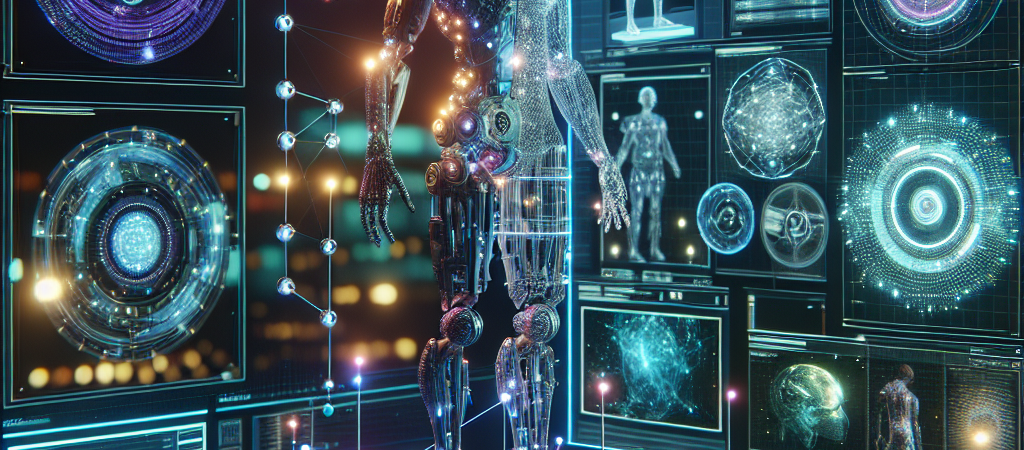
Roblox is no longer just a gaming platform; it is becoming a foundational physics laboratory for the generative AI era. At the latest Roblox Developers Conference (RDC), the company unveiled a breakthrough that solves the single biggest bottleneck in 3D development: turning a static image into a functional, physics-compliant object. By launching a multimodal “4D” AI tool, Roblox effectively killed the tedious process of manual rigging and skinning.
| Attribute | Details |
| :— | :— |
| Difficulty | Intermediate (Requires Roblox Studio familiarity) |
| Time Required | 60 seconds per model generation |
| Tools Needed | Roblox Studio, Luau Scripting Environment |
The Why: Why 3D Creators Should Care
Until now, generative AI for 3D was mostly “junk.” You could prompt a prompt-to-3D tool and get a mesh that looked like a melted candle—unusable for actual gameplay. To make a 3D car work, a human developer had to manually define the chassis, attach wheels, set up the suspension physics, and write the interaction logic. It’s a specialized skill set that takes years to master.
Roblox’s new AI technology changes the “Why” by introducing functional generation. This isn’t just about how an object looks; it’s about how it behaves. If you generate a desk with drawers, the AI understands that drawers should slide out. If you generate a lamp, it knows how to toggle light. For the busy developer, this collapses weeks of technical debt into seconds, allowing small teams to build massive, interactive worlds that previously required AAA-studio resources. However, as automation takes over, some experts question the future of human skill in how AI could make human beings irrelevant.
Step-by-Step: Implementing Roblox’s AI Workflow
The new AI tools are being integrated directly into the Roblox Studio environment. Here is how you can leverage these functioning models.
- Access the Assistant: Open Roblox Studio and navigate to the “Assistant” panel. This is your primary interface for multimodal prompting.
- Describe the Geometry and Function: Don’t just prompt for “a car.” Be specific about its functionality. Type: “Generate a drivable off-road vehicle with four-wheel drive and working headlights.”
- Review the 4D Rigging: Once the model appears, inspect the “Rig.” Roblox’s AI automatically assigns the constraints and attachments. Check the explorer window to see the generated scripts that handle the physics.
- Live-Test the Physics: Hit the “Play” button immediately. Unlike standard mesh imports, these models are “live” upon arrival. Kick the tires, drive the vehicle, and ensure the collision boxes match the visual geometry.
- Refine via Luau: Use the Assistant to tweak the code. Prompt: “Make the suspension 20% stiffer and increase the top speed.” The AI will rewrite the underlying Luau script in real-time.
💡 Pro-Tip: To save on performance, don’t let the AI generate unique scripts for every single functional item. Use the AI to build one “master model,” then convert it into a Package in Roblox. This allows you to update the logic across 100 instances simultaneously without bloating your game’s memory. For developers interested in other high-end generative workflows, check out our guide on DreamVid AI for cinematic video.
The Buyer’s Perspective: Roblox vs. The World
Roblox isn’t competing with Midjourney or Runway; it’s competing with Unreal Engine and Unity. While Unreal offers high-fidelity graphics, its barrier to entry for functional 3D is a vertical cliff. Unity’s “Muse” AI is making strides, but it still lacks the deep integration of a platform that hosts its own cloud-based engine. This reflects a broader trend where companies are integrating artificial intelligence to streamline complex learning and development processes.
The value proposition here is vertical integration. Because Roblox controls the engine, the cloud, and the distribution, their AI understands the specific physics constraints of their world. When you generate a model in Roblox, it is guaranteed to work in the Roblox ecosystem.
The downside? You are locked in. You cannot currently export these functional AI models to Blender or Unreal with the logic intact. If you build your empire on Roblox AI, you are committed to the Roblox tax and ecosystem. However, for 90% of indie developers, the trade-off of speed over portability is an easy win.
FAQ
What exactly is “4D” AI in the context of Roblox?
It refers to 3D geometry plus the fourth dimension: interaction over time. The AI doesn’t just build the shape; it builds the “bones” and the “logic” that allow it to move and respond to players.
Do I need to know how to code to use these models?
No. The goal of Roblox’s Assistant is to translate natural language into Luau script. However, the dangers of what happens when people don’t understand how AI works remain, as a basic understanding of scripting helps you troubleshoot when the AI inevitably makes a logic error.
Will this replace 3D artists on the platform?
It replaces the “grunt work” of rigging and basic modeling. High-end, bespoke art direction and complex game mechanics still require a human touch to stand out in a crowded marketplace, much like the ongoing debate regarding Disney and Universal sue Midjourney over copyright concerns in creative fields.
Ethical Note/Limitation:
This technology currently struggles with complex, multi-part mechanical assemblies—don’t expect it to generate a fully functioning, realistic jet engine with hundreds of moving parts just yet.
The Bottom Line
Roblox’s shift toward functional AI models marks the end of the “static asset” era. By automating the most technical aspects of game development—physics and rigging—Roblox is lowering the floor for creators while significantly raising the ceiling for what a single person can build. If you aren’t experimenting with these 4D tools now, you’re effectively choosing to work ten times harder for the same result.