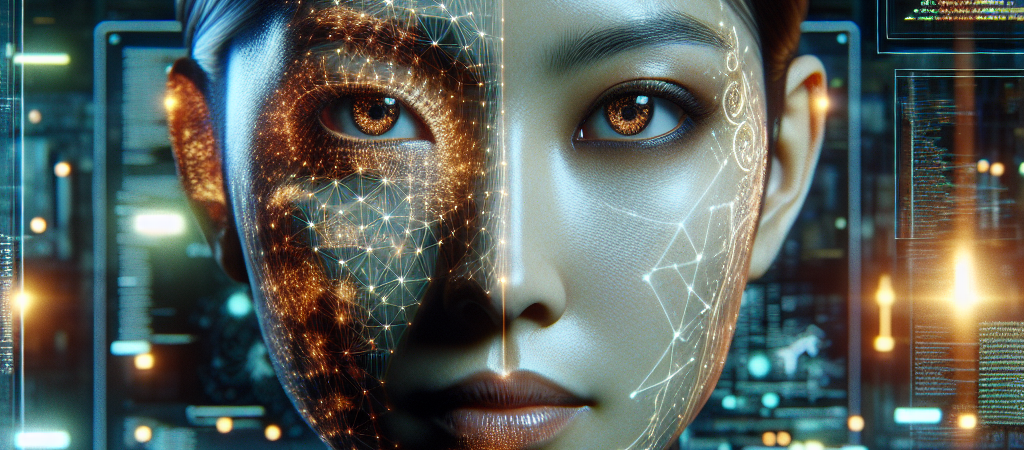
Most tech launches happen in climate-controlled conference rooms with artisanal catering. D-ID just launched its next-generation AI video engine from bomb shelters. As Iranian missiles crossed the sky, developers in Tel Aviv were finalizing the code for a tool that moves us closer to real-time, emotionally intelligent digital humans. This isn’t just another incremental update; it’s a masterclass in shipping mission-critical software under the most extreme pressure imaginable.
| Attribute | Details |
| :— | :— |
| Difficulty | Intermediate |
| Time Required | 10 – 15 minutes to set up |
| Tools Needed | D-ID Studio, API Access, High-res Headshot |
The Why: Breaking the “Uncanny Valley” Barrier
The biggest problem with AI video generation today isn’t the resolution; it’s the “soul.” Most AI avatars look like stiff puppets—their eyes don’t quite match their mouth movements, and their emotional range is limited to “customer service robot.”
D-ID’s new engine solves this by focusing on micro-expressions and reduced latency. For businesses, this means the difference between a video that looks like a deepfake and one that feels like a genuine human interaction. If you are in corporate training, personalized sales at scale, or digital customer service, the ability to generate lifelike video from text instantly is no longer a luxury—it’s the new baseline for engagement.
Step-by-Step: Leveraging D-ID’s New Video Engine
To get the most out of this new release, you need to go beyond the basic presets. Here is how to implement the new engine into your workflow.
- Prepare a High-Fidelity Source Image. Upload a high-resolution (at least 1080p) front-facing portrait. Ensure the lighting is consistent; the new engine is sensitive to shadows, which it now uses to map realistic muscle movements.
- Input Your Script with Emotional Cues. Don’t just paste text. Use the updated interface to designate emotional “beats.” If the script is celebratory, select the “Cheerful” or “Excited” expression tags to trigger the new micro-expression algorithms.
- Configure the Voice Settings. Use the “ElevenLabs” integration within the D-ID dashboard. The new engine syncs better with high-bitrate audio, so choose a voice with natural breath patterns and pauses.
- Generate and Iterate. Render a 5-second “proof of concept” before committing to a full video. Much like when you master the new DreamVid AI web interface, checking for temporal consistency and lip-sync specifically on “plosive” sounds (P, B, T) ensures the alignment is crisp.
- Export via API for Personalization. If you are a developer, use the new API endpoints to inject dynamic data (like a customer’s name) to generate thousands of personalized videos in a single batch.
💡 Pro-Tip: To achieve near-perfect realism, use a source photo where the subject has a slightly open mouth or a “soft” expression rather than a tight-lipped smile. This gives the AI engine more “data” to work with when articulating complex speech patterns, reducing the “warping” effect often seen around the jawline.
The Buyer’s Perspective: Is it Better than HeyGen or Synthesia?
The AI video space is crowded. HeyGen currently leads in pure video translation and “fine-tuning” realism, while Synthesia owns the corporate “stock avatar” market. D-ID’s new engine carves out a niche in speed and API flexibility.
D-ID has always been the “scrappier,” more developer-friendly option. This latest update bridges the quality gap with competitors like ByteDance’s Seaweed 2.0 while maintaining a lower price point for high-volume users. However, if you need purely “hands-off” corporate avatars, Synthesia’s library is still more plug-and-play. D-ID is for the creator or the company that wants to push the boundaries of what an avatar can actually do—including real-time conversational AI.
FAQ
Can I use this for real-time video calls?
Yes. D-ID’s latest engine is optimized for low-latency streaming, making it one of the few viable options for creating “AI Agents” that can “see” and “talk” to customers in real-time.
What happened to the developers during the launch?
The team moved to remote work and secure shelters during the Iranian missile attacks on Israel. They met their launch deadline despite the conflict, proving the resilience of the Israeli tech ecosystem.
Does this work with 3D avatars or just photos?
While natively designed for 2D images, the software can animate 3D-rendered stills, giving them a level of facial fluidity that traditional 3D rigging often struggles to achieve without expensive motion capture.
Ethical Note/Limitation: While the realism is staggering, this technology still cannot perfectly replicate natural human “micro-gestures” beyond the neck, meaning full-body movements still require traditional video.