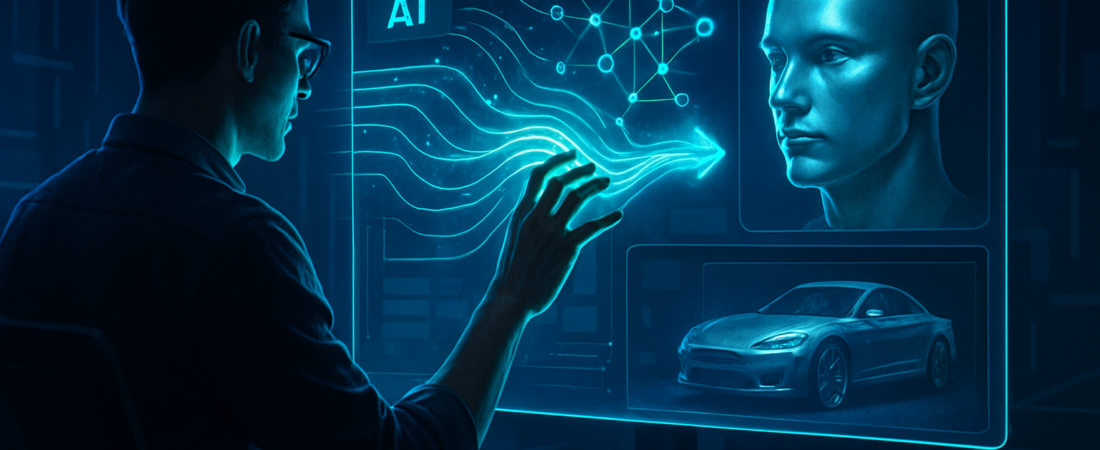
By August 2026, the novelty of generative AI has worn off. We’re tired of “prompt engineering” and wrestling with static interfaces. The launch of fal Agent marks the moment we stop being tool operators and start being creative directors. With 2.5 million developers already powering the backbone of the generative media boom, fal isn’t just releasing another chatbot; they are deploying a latent-space navigator that bridges the gap between a rough idea and a production-ready asset in seconds.
| Attribute | Details |
| :— | :— |
| Difficulty | Intermediate |
| Time Required | 5–10 minutes for a full workflow |
| Tools Needed | fal Agent, fal.ai API, ComfyUI (optional) |
The Why: Real-Time Creativity at Scale
The problem with traditional AI content workflows is the “latency of thought.” You write a prompt, wait 30 seconds, realize the lighting is wrong, and start over. It’s a disjointed, frustrating process that kills creative flow.
fal Agent solves this by prioritizing inference speed and agentic autonomy. Instead of you trying to figure out which specific LoRA or model checkpoint to use, the Agent understands the intent. It doesn’t just generate an image; it reasons through the composition, adjusts parameters on the fly, and allows for iterative refinement through natural conversation. For a busy professional, this means moving from “idea” to “social media campaign” without touching a single technical slider. This shift reflects a broader industry trend where generative AI agents are taking over the director’s chair to provide structured, consistent narrative storytelling.
Step-by-Step Instructions: Mastering the fal Agent Workflow
- Initialize the Environment: Log into the fal dashboard and navigate to the Agent interface. Ensure your API keys are active if you plan to pipe the output into a custom application.
- Describe the Intent, Not the Settings: Instead of listing technical specs, describe the mood. Start with a command like: “Create a series of high-fashion editorial shots for a cyberpunk streetwear brand, focusing on neon-lit rain textures.”
- Iterate via Dialogue: View the initial output. If the color grading is too warm, simply tell the Agent: “Cool down the shadows and add more anamorphic lens flare.” The Agent modifies the underlying diffusion parameters without losing the core composition.
- Batch and Scale: Once the aesthetic is locked, command the Agent to generate variations for different platforms. “Translate this style into a 15-second cinematic B-roll loop and a set of 9:16 Instagram stories.”
- Export and Integrate: Use the provided cURL commands or SDK snippets to move your generated media directly into your CMS or video editor.
💡 Pro-Tip: Use the “Seed Lock” command during the dialogue phase. By telling the Agent to “maintain the seed but shift the camera angle,” you can create consistent character assets or product shots without the typical AI “hallucination” where the subject’s face changes between frames. To ensure your outputs remain top-tier, you can compare results on platforms like AIMomentz, the first open evaluation platform for AI image models.
The Buyer’s Perspective: Is fal Agent the New Industry Standard?
The generative media market is crowded. Midjourney offers unmatched aesthetics but remains trapped in a clunky Discord interface. DALL-E 3 is user-friendly but often feels “sanitized” and lacks professional-grade control.
fal Agent occupies the high-ground for two reasons: Extensibility and Speed. Because it is built on fal’s lightning-fast inference infrastructure (which currently leads the industry in milliseconds-per-image), the feedback loop is nearly instantaneous. For developers and agencies, the value proposition isn’t just the AI—it’s the API. You aren’t just buying a tool; you’re buying a scalable engine that can be baked into your own proprietary software. While it may require a steeper learning curve than a simple mobile app, the level of granular control over the “latent space” makes it the superior choice for professionals who cannot afford to settle for “good enough.” This precision is becoming essential as more creators look for professional-grade face swapping and high-fidelity neural mapping to elevate their visual content.
FAQ
Does fal Agent store my proprietary creative data?
No. fal is built for developers; their privacy model allows for ephemeral processing where your inputs and outputs aren’t used to train their foundational models unless you explicitly opt-in for fine-tuning.
Can I use my own custom-trained models with the Agent?
Yes. The Agent can hook into your private “Weights & Biases” or custom LoRAs hosted on the fal platform, allowing you to use the agentic interface with your brand’s specific visual identity.
How does this differ from just using ChatGPT with DALL-E?
Precision. fal Agent is built specifically for media workflows, meaning it understands technical photography terms, frame rates, and composition rules that general-purpose LLMs often ignore or misinterpret.
Ethical Note/Limitation: While fal Agent dramatically accelerates production, it cannot currently guarantee 100% anatomical accuracy in complex human movements or perfectly legible small-scale text in backgrounds.