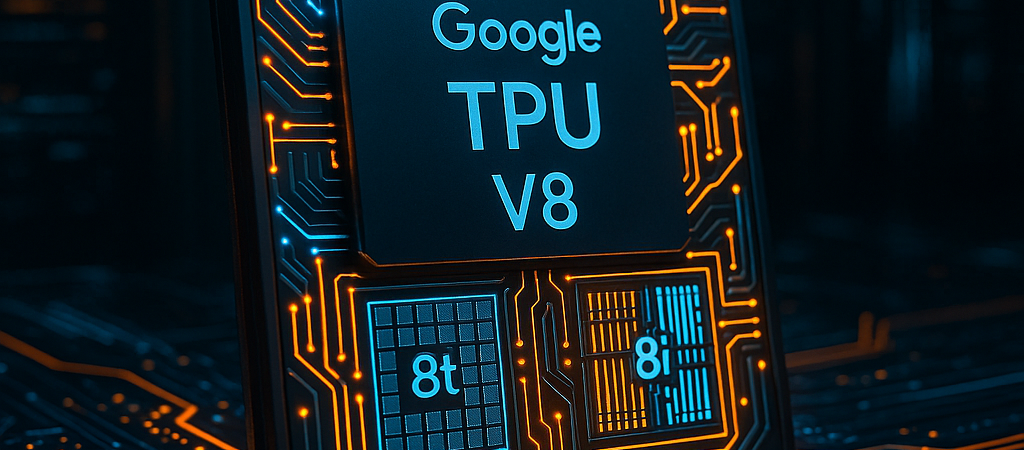
Silicon Valley just shifted its weight. For years, the industry treated AI hardware like a hammer—one big, heavy tool used to smash every problem. But as we move from chatbots that answer questions to “agents” that execute multi-step workflows, that old logic is crumbling.
Google’s announcement of its eighth-generation Tensor Processor Units (TPUs) marks the end of the general-purpose era. By splitting the architecture into two distinct chips—the TPU 8t for training and the TPU 8i for inference—Google is betting that the future of AI isn’t just about raw power; it’s about specialization. For leaders looking to integrate these capabilities into their business, the Gemini Agent Platform and TPU 8 chips provide the necessary command center for governing these new autonomous workflows.
| Attribute | Details |
| :— | :— |
| Difficulty | Intermediate (Strategic/Infrastructure) |
| Time Required | 10-15 minute deep dive |
| Tools Needed | Google Cloud Console, Vertex AI, JAX/PyTorch |
The Why: The High Cost of “Average” Performance
The “Agentic Era” is a term Google is using to describe AI that doesn’t just talk, but does. These agents reason in loops, calling tools and collaborating with other models. This creates a hardware nightmare.
If you use a massive training chip to handle a small, fast interaction (inference), you’re wasting energy and money. Conversely, if you use an underpowered chip to train a trillion-parameter model, your development cycle stretches from weeks to months. Google’s eighth-gen TPUs solve this by decoupling the “brain-building” (8t) from the “brain-using” (8i). It’s the difference between a heavy-duty freight train and a fleet of nimble delivery vans. This shift is part of a broader enterprise AI strategy where the battle is moving from model leaderboards to deep vertical infrastructure integration.
Implementing the TPU v8 Stack: A Technical Roadmap
If you are an architect or lead dev, you don’t just “plug in” a TPU. You orchestrate it. Here is how to prepare for the rollout later this year.
-
Audit Your Workload Balance
Before moving to v8, categorize your compute spend. If 70% of your budget goes to refinement and checkpoints, you are an 8t candidate. If you are scaling a production app with millions of users needing sub-second responses, focus your architecture on 8i. -
Optimize for the “Boardfly” Topology
The TPU 8i uses a new “Boardfly” networking structure. To take advantage of this, ensure your models utilize Mixture of Experts (MoE) architectures. The 8i is specifically designed to reduce the latency “lag” that usually occurs when these models switch between different “expert” layers. -
Transition to Axion-Based Hosts
For the first time, these TPUs run on Google’s custom ARM-based Axion CPUs. If your current pipeline relies on x86-specific libraries, start containerizing your workloads now using multi-arch builds to ensure a seamless migration to the more efficient ARM environment. -
Leverage TPUDirect for Data Ingestion
On the 8t (training) side, use TPUDirect to pull data into the chip 10x faster than previous generations. This stops the “starvation” effect where the processor sits idle while waiting for data to travel from storage.
💡 Pro-Tip: Don’t just look at the FLOPS (Floating Point Operations). Look at the “Goodput.” Google claims 97% goodput on the TPU 8t, meaning the hardware spends almost no time recovering from failures or network stalls. In a 9,600-chip cluster, a 3% gain in goodput can save you hundreds of thousands of dollars in wasted compute time during a single training run.
The Buyer’s Perspective: Google vs. The Green Giant
The elephant in the room is Nvidia’s Blackwell. While Nvidia remains the undisputed king of the open market, Google’s “vertical integration” is a massive advantage for Cloud users. This competition is heating up globally, as seen with DeepSeek V4 running on Huawei Ascend hardware, signaling that the race for hardware independence is no longer just a Silicon Valley story.
Because Google designs the chip, the liquid cooling, the Axion CPU host, and the software (JAX/Gemini), they can squeeze out efficiencies that off-the-shelf hardware can’t match. The claim of 80% better performance-per-dollar on the 8i isn’t just marketing fluff—it’s the result of removing the “virtualization tax” that usually slows down cloud hardware. If you are already deep in the Google Cloud ecosystem, the v8 generation makes it increasingly difficult to justify moving workloads back to traditional GPU clusters.
FAQ: What You Actually Need to Know
Q: Do I need to rewrite my code to use TPU 8t or 8i?
A: No. Both chips support native JAX, PyTorch, and vLLM. If your code runs on previous TPU generations or standard GPUs, the migration is largely a configuration change rather than a code rewrite.
Q: Why do I care about “liquid cooling” in the cloud?
A: You care because of “thermal throttling.” Air-cooled chips have to slow down when they get too hot. Google’s 4th-gen liquid cooling allows these chips to run at peak performance 24/7 without backing off, ensuring your training finishes on time.
Q: When can I actually buy this?
A: Google expects general availability “later this year.” However, you can sign up for the TPU Interest program now to get early access to “white glove” onboarding and benchmarking.
Ethical Note/Limitation: While these chips are significantly more efficient per watt, the sheer scale of 9,600-chip “superpods” means the total energy footprint of frontier AI training remains a massive environmental challenge that hardware efficiency alone cannot solve.