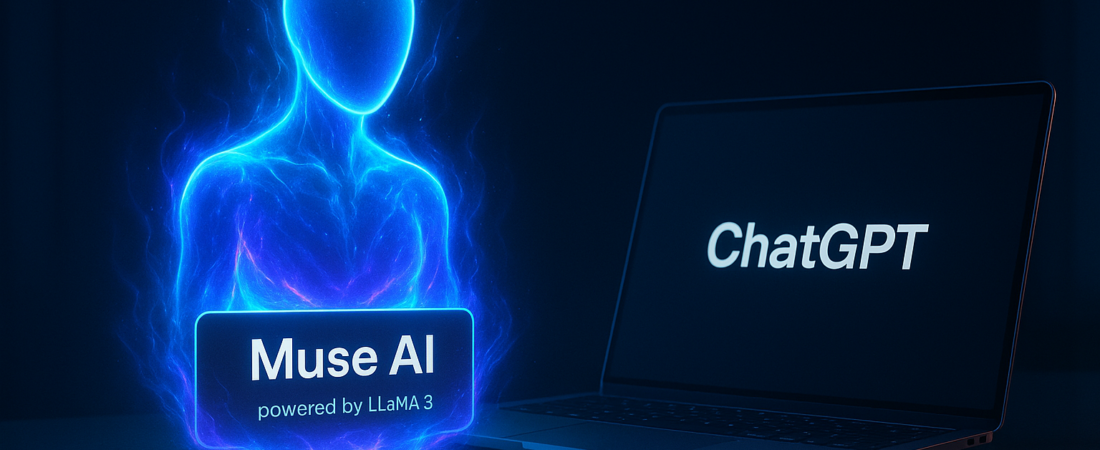
Meta just reminded the world that they don’t just build social networks—they build habits. Their new standalone smart agent, Muse AI, didn’t just launch; it blitzed the Apple App Store, securing the #1 spot and single-handedly reigniting a cooling AI trade on Wall Street. While the market obsessed over chipmakers like Nvidia catching a fresh tailwind from this news, the real story is in your pocket. Meta has finally moved AI out of the “experimental feature” phase and into a dedicated, high-performance tool that’s currently outperforming the incumbents.
| Attribute | Details |
| :— | :— |
| Difficulty | Beginner (User-friendly interface) |
| Time Required | 2-5 minutes to set up |
| Tools Needed | iOS/Android Device, Meta Account |
The Why: Moving Beyond the Newsfeed
For the last year, Meta’s AI efforts felt like they were hiding. You’d find a search bar in Instagram or a toggle in WhatsApp, but it always felt like an appendage. Muse AI changes that. It is a direct shot across the bow at ChatGPT and Perplexity.
The “Why” is simple: Latency and integration. Muse is built to leverage Meta’s Llama 3 backbone with a specialized focus on “agentic” behavior—meaning it doesn’t just answer questions; it acts on them across the Meta ecosystem. Whether you’re a developer looking for a coding companion or a small business owner trying to automate customer outreach, Muse is Meta’s bid to become your primary interface for the internet.
Step-by-Step Instructions: Getting Started with Muse AI
If you’re still treating AI as a search engine, you’re using it wrong. Here is how to actually put Muse to work.
- Download and Authenticate: Search for “Muse AI” in the Apple App Store. Once installed, link your Meta account. This allows the agent to pull from your existing preferences (if you opt-in) to personalize responses.
- Configure Your Workflow: Navigate to the “Persona” settings. Unlike ChatGPT’s single-thread approach, Muse allows you to toggle between “Creative,” “Technical,” and “Brief” modes. For professional use, stick to technical.
- Execute Multi-Platform Prompts: Try a command like: “Analyze my recent Facebook business page engagement and draft three Instagram captions that match the tone of my highest-performing post.”
- Leverage the “Live” Web: Muse uses a real-time indexing system. Use it to summarize breaking news or stock movements—like the recent surge in chipmaker valuations—to get a synthesized report rather than a list of links.
- Export to Documentation: Muse allows direct export to PDF or Google Docs. Once you’ve finished a brainstorming session, hit the share icon to turn the chat into a structured brief.
💡 Pro-Tip: Muse AI has a “Shadow Memory” feature. If you find yourself repeating the same context (e.g., “I am a Python developer”), you can “Pin” specific facts to its long-term memory via the settings, saving you hundreds of words in future prompts.
The Buyer’s Perspective: Is It Better Than ChatGPT?
The market is currently flooded with “wrappers,” but Muse is a different beast. Because Meta owns the hardware stack (via their massive GPU clusters) and the data, Muse feels significantly faster than the current version of ChatGPT Plus.
However, there is a trade-off. While ChatGPT remains the gold standard for pure logic and “vibe-free” data processing, Muse is unapologetically social. It excels at content creation, sentiment analysis, and multi-modal tasks (handling images and text simultaneously). If you are deep in the Meta ecosystem—using Threads for news and WhatsApp for business—Muse is a no-brainer. If you’re a privacy purist, the idea of Meta having an even deeper window into your prompts might be a tough pill to swallow.
The “reignited AI trade” mentioned by Bloomberg isn’t just hype; it reflects the realization that if Meta can successfully monetize Muse through its massive ad network, the demand for high-end silicon from companies like Nvidia and AMD will only escalate.
FAQ: What You’re Actually Asking
Is Muse AI free to use?
Currently, Meta is offering a robust free tier that rivals paid competitors. However, expect a “Pro” tier in the future that offers higher rate limits for Llama’s largest models and advanced image generation.
Can Muse AI help with coding?
Yes. Early benchmarks suggest that Muse, powered by the latest Llama iterations, is highly competent in Python, JavaScript, and C++. It specifically excels at debugging and explaining complex blocks of code.
How does Muse handle my data?
Meta states that Muse uses interactions to improve its models, but users can toggle “Off-Facebook Activity” settings to limit how much personal data is fed into the training loop. Always read the fine print before sharing proprietary business data.
Ethical Note/Limitation: Muse AI is an LLM-based agent and remains susceptible to “hallucinations,” meaning it can confidently state facts about recent market trends or technical specifications that are entirely fabricated.
The surge in Meta’s stock and the subsequent lift for chipmakers suggests that the “AI winter” many predicted has been postponed. As Muse AI continues to sit at the top of the charts, the question for users isn’t whether to use AI, but which ecosystem they want to live in.