For years, the “AI meeting assistant” was a polite way of saying “transcription bot.” You invited it to your call, it turned speech into text, and if you were lucky, it summarized the action items without hallucinating a new department. But transcription is now a commodity. The real war hasn’t been about who can hear the best; it’s about who can connect the best.
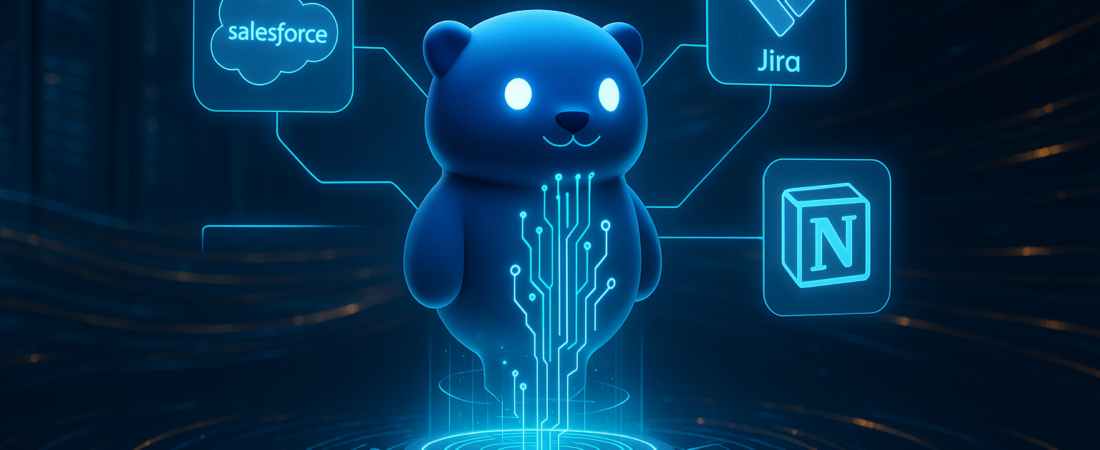
Otter.ai just signaled its intent to win that war. By adopting the Model Context Protocol, Otter is no longer just a digital scribe sitting in the corner of your Zoom call. It is now an enterprise search engine capable of pulling data from Salesforce, Jira, and Notion to answer a simple question: “What actually happened with the Smith account today?”
| Attribute | Details |
| :— | :— |
| Difficulty | Beginner/Intermediate |
| Time Required | 5–10 minutes for setup |
| Tools Needed | Otter.ai (Professional/Enterprise), Google Workspace, Salesforce, or Slack |
The Why: The Fragmentation Tax is Real
Knowledge workers are currently paying a “fragmentation tax.” You spend twenty minutes hunting for a project update that started in a meeting, moved to a Slack thread, got buried in a Jira ticket, and finally died in a PDF on Google Drive.
Otter’s shift to search across your entire enterprise stack solves the “silo problem.” By acting as an MCP client, Otter isn’t just indexing its own transcripts; it’s querying the other apps you already use. It turns the AI assistant from a passive listener into an active researcher that understands the context of your entire workflow, not just the last forty minutes of a video call. This move towards multi-AI orchestration allows different systems to synthesize data rather than just recording it.
How to Turn Otter Into Your Enterprise Command Center
Implementing these new features isn’t just about clicking “Connect.” It’s about structuring your data so the AI can actually find it.
- Sync Your Ecosystem: Navigate to your Otter settings and authorize the new MCP-standard connections. Start with the “big three”: Gmail/Outlook for communication, Google Drive/SharePoint for documents, and your CRM (Salesforce).
- Deploy the Windows App: If you’re tired of the “Bot Swarm” (where five different meeting bots join one call), download the new Otter Windows app. Use the system audio recording feature to capture meetings without a visible bot presence.
- Prompt with Context: Instead of asking general questions, use the persistent AI assistant to query specific tools. For example: “Based on the Jira ticket I just opened, summarize the key concerns from this morning’s client meeting.”
- Push, Don’t Just Pull: Use the “Write” feature to turn insights into action. Once Otter finds the answer across your apps, use the integrated draft tool to send that summary directly to a Notion page or a Gmail draft. This shift mirrors how Microsoft shifts from chatbots to agentic AI by focusing on execution over mere conversation.
💡 Pro-Tip: To avoid “AI Noise,” use the new deduplication settings. If multiple teammates have Otter, the software can now detect this and ensure only one instance captures the audio, while still sharing the final notes with everyone on the calendar invite.
The Buyer’s Perspective: Bots vs. System Audio
The market for meeting AI is currently split into two camps: the “Invisible” camp (led by startups like Granola) and the “Transparent” camp (led by Otter and Fathom).
The newcomers argue that bots are awkward and intrusive. Otter CEO Sam Liang is betting his $100M+ ARR business on the opposite: that enterprise customers want the bot because it acts as a record of consent and transparency. While tools like the Zoom AI Companion offer built-in alternatives for those on specific platforms, Otter’s cross-platform nature remains its core strength.
Compared to competitors like Read AI or Fireflies, Otter’s move into MCP (Model Context Protocol) is a massive technical advantage. Built by Anthropic and adopted rapidly by the industry, MCP allows Otter to “talk” to other apps using a standardized language. While other tools are busy building one-off integrations that break every time Salesforce updates its API, Otter is building on a foundation that could eventually search almost any modern enterprise tool.
However, there is a catch. If your organization lives and breathes inside Microsoft Teams and doesn’t use third-party tools like Notion or Jira, Microsoft’s own Copilot still holds the home-field advantage for deep integration.
FAQ: What You Need to Know
Does Otter search the content of my actual files or just the titles?
It queries the content within the apps you connect (like the body of a Gmail or a Notion page) using the context provided by your meeting data to filter results.
Will my data be used to train Otter’s global AI models?
Enterprise-tier data is typically siloed and not used for training general models, but you should always verify your specific “Data Processing Agreement” (DPA) within the admin console.
Do I still need a bot to join my meetings?
No. With the new Windows and Mac apps, you can record via your computer’s system audio, though Otter still encourages the “bot” method for better transcript accuracy and team-wide sharing.
Ethical Note/Limitation
While Otter can now search across your tools, it cannot “reason” through complex conflicting data—if your Jira ticket says one thing and your meeting says another, the AI will likely hallucinate a compromise rather than pointing out the discrepancy.