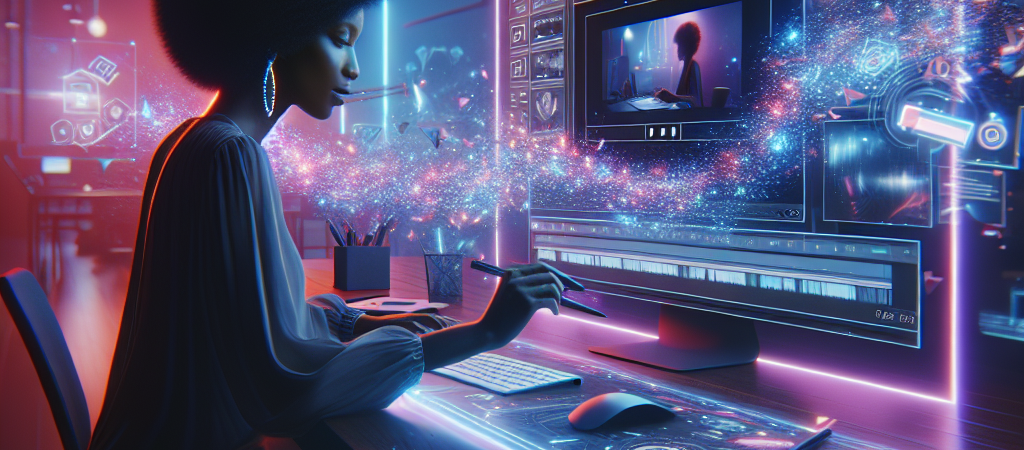
The barrier to entry for viral video content just hit the floor. With the quiet rollout of its ‘Reimagine’ AI tool, YouTube has effectively handed a professional editing suite and a creative director to anyone with a smartphone. If you thought the transition from long-form to Shorts was jarring, you aren’t ready for what happens when every user can overhaul their reality with a single text prompt.
| Attribute | Details |
| :— | :— |
| Difficulty | Beginner |
| Time Required | 2–5 minutes per Short |
| Tools Needed | YouTube Mobile App, Google Gemini (Integrated) |
| Target Audience | Creators, Marketers, Solo-entrepreneurs |
The Why: Democratizing the Viral Loop
The creator economy has always had a “skill tax.” To go viral, you typically needed to understand lighting, color grading, or at least the nuances of complex mobile editors like CapCut. YouTube’s ‘Reimagine’ solves a fundamental problem: the gap between a great idea and a polished execution.
This move toward simplified, high-fidelity production mirrors what we are seeing across the industry, such as how Roblox 4D AI is transforming game dev by automating complex rigging and physics.
By integrating generative AI directly into the Shorts creation flow, YouTube is making it possible to change the environment, the lighting, or the context of a video after it has been filmed. It’s no longer about what you captured on camera; it’s about how you prompt the platform to transform it. This isn’t just a filter—it’s a fundamental rewrite of the pixels in your frame. For creators, this means less time retaking shots and more time testing creative concepts that were previously impossible on a zero-dollar budget. As platforms consolidate these features, many creators are turning to a centralized AI social media engine to manage their entire workflow in one place.
Step-by-Step: How to Use Reimagine for Your Next Project
You don’t need a background in VFX to use this. Here is how to turn a mediocre clip into a high-engagement Short.
- Open the YouTube Create suite. Navigate to the “Create a Short” button and either film a fresh clip or upload one from your gallery.
- Select the ‘Reimagine’ tool. Within the editing sidebar, look for the Reimagine icon (usually indicated by a sparkle or “magic” symbol).
- Prompt your environment. Type a specific description of how you want to alter the scene. Instead of saying “make it look cool,” try “Transform the background into a neon-drenched futuristic Tokyo street at night.”
- Refine the intensity. Use the slider to determine how much of the original video you want to keep versus how much the AI should take over.
- Sync and Publish. Overlay your audio and hit upload. The AI handles the rendering in the background, making it ready for the feed in seconds.
💡 Pro-Tip: Don’t just change the background. Use Reimagine to fix “dead” lighting. If you filmed in a dark room, prompt the tool to “Apply soft golden hour cinematic lighting.” The AI is surprisingly adept at re-mapping light onto your face without looking like a cheap mask. This level of accessibility is part of a broader trend where specialized AI agents are being integrated into daily professional workflows to maximize productivity.
The Buyer’s Perspective: YouTube vs. The Field
YouTube isn’t the first to play with generative video, but they are the most dangerous. While Adobe Premiere and Blackmagic’s DaVinci Resolve offer “Generative Fill” and “AI Relighting,” those tools are locked behind high subscription costs and steep learning curves. We are seeing similar competitive leaps in products like DreamVid AI, which is bringing cinematic generative video directly to the browser.
TikTok’s native AI filters are often gimmicky and look like, well, filters. Reimagine feels different. It leverages Google’s foundational models (Gemini/Imagen) to produce results that look suspiciously close to professional post-production. The value proposition here is seamlessness. By keeping the creator inside the app, YouTube reduces “churn”—the moment a creator leaves the app to edit elsewhere is the moment YouTube loses them. This tool is a direct play to steal market share back from TikTok and Instagram by offering the most powerful creative “cheat codes” in the industry, much like how the YouTube Music AI playlist builder uses generative prompts to transform the streaming experience.
FAQ
Does using ‘Reimagine’ hurt my reach in the algorithm?
No. In fact, YouTube encourages the use of its native tools. However, you must ensure the “Altered Content” disclosure is checked if the changes make the video look deceptively real.
Can I use this on existing long-form videos?
Currently, ‘Reimagine’ is optimized for Shorts. While you can port long-form segments into the Shorts editor, the tool works best on vertical, short-duration clips where the AI can process frames efficiently.
Is there a limit to how many times I can use it?
YouTube hasn’t implemented a hard “token” limit for creators yet, but expect high-resolution or high-frequency use to eventually be tied to a Premium subscription or a daily cap.
Ethical Note: While Reimagine lowers the creative floor, it also increases the volume of “uncanny valley” content; it currently struggles with fine details like realistic finger movements or complex text appearing within the AI-generated backgrounds.